


The Cepher
4.8443.00 Reviews
App Specs
- Version
- 22.0.50
- Updated On
- License
- $21.99
- Downloads
- 10,000+
- Developer
- Cepher Publishing Group
- Categories
- Books & Reference
- Platform
- Android, iOS
Screenshots
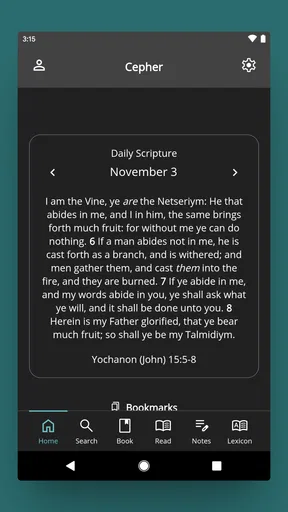
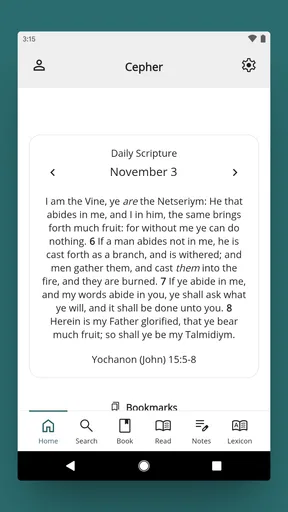
 Analysis by AppCompare
I approached The Cepher as a serious reading tool rather than a casual reference app. It belongs to the Books & Reference category and is developed by Cepher Publishing Group, with a clear focus on presenting sacred scripture in a restored, consolidated form. The app is aimed at readers who want to spend time with this particular edition on a phone or tablet, not at people looking for a general-purpose Bible app with a wide library of translations and study resources.
My first impression was that the app makes most sense when treated as a dedicated reading environment. The purchase price is $21.99, so this is not an app I would recommend downloading on impulse. It asks you to have a specific interest in the Cepher text and to value having that material available digitally. For the right reader, that focus is the main reason to choose it; for everyone else, the cost can be difficult to justify beside free scripture apps.
How I settled into a dependable reading routine
The most useful way to begin is not by trying to cover a large amount of text immediately. I found it better to choose one reading purpose first: a continuous passage, a return to a familiar book, or a focused study around a name, phrase, or theme. That small decision changes how I use the app. Continuous reading benefits from a calm, uninterrupted session, while reference work depends more on moving quickly between relevant passages.
Because the app is built around one specific restoration of sacred scripture, I would not approach it in the same way as a broad reading platform. The point is not simply to collect several versions in one place. The point is to become comfortable with the wording, structure, and editorial choices of this edition. I recommend keeping a notebook or separate document nearby during longer sessions, especially if you are comparing passages with another translation or discussing the text with a study group.
A practical everyday scenario would be an evening study session after work. I might open the app with one question in mind, read the surrounding passage rather than only the line that caught my attention, and then search for a repeated term to see how it appears elsewhere. After that, I would write down the references I want to revisit instead of trying to remember every detail. This makes the phone feel less like a distraction and more like a portable study desk.
The strongest habit is to use the app as a focused primary text, not as a complete replacement for every study tool. That distinction matters. It keeps the reading experience purposeful and prevents disappointment when a user expects the broad commentary, media, devotional plans, or translation comparison commonly found in larger free apps.
What the first session should accomplish
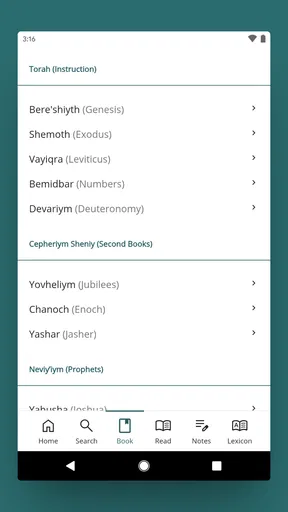
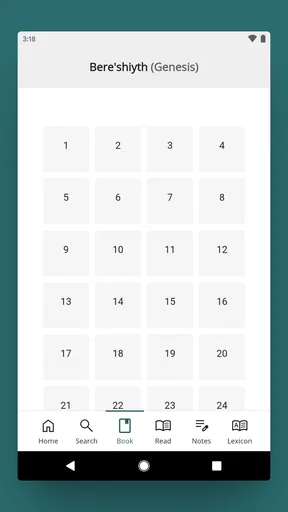
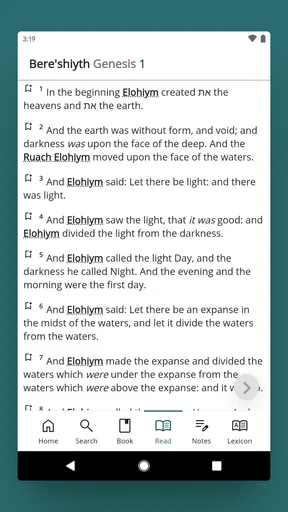
During the first session, I would spend a few minutes learning how the app presents its books and passages before beginning a serious reading plan. A reader should know how to move from a book to a chapter, how to return to a previous location, and how to search without losing the original passage. These are simple actions, but they determine whether later study feels smooth or unnecessarily slow.
Worth Reading Before You Choose

Flipboard Shows What News Apps Must Do Beyond the Feed

Switching to Android Auto Means Rethinking Your Driving Routine

Google Calendar Makes a Crowded Week Easier to Manage

Ludo King Makes the Most of the Minutes Between Plans

Baby Panda World Brings Quick Play to Modern Phones, but Its Game Library Feels Busy

ESPN’s Live Game View Makes Following Close Games Easier
I also recommend testing the app with both a short passage and a longer chapter. A short passage shows how quickly you can reach a target. A longer chapter reveals whether your preferred reading posture, screen size, and text presentation are comfortable for sustained use. That trial is especially important on a phone, where a layout that feels fine for a few lines may become tiring over several pages.
The app’s Everyone content rating makes it suitable for a broad audience from an age-classification perspective, but that does not mean every reader will find the material or restoration approach equally suitable. Readers should come with an interest in the work itself. Someone seeking a neutral, introductory overview of scripture may be better served by a conventional study Bible or an app that explains its translation choices in a more beginner-oriented way.
Settings and reading choices worth checking early
I would inspect the available reading controls before settling into a daily routine. In any long-form scripture app, small presentation choices have an outsized effect: text size, screen brightness, orientation, and whether the device stays awake during reading. I avoid making a long session uncomfortable and adjust the phone rather than forcing myself to read through glare, cramped text, or constant screen locking.
It is also worth checking how the app behaves when you leave it and return later. A good personal workflow depends on being able to resume without repeatedly reconstructing the same location. If I am studying a passage over several days, I make a habit of noting the book and chapter outside the app as well. That backup is not glamorous, but it protects the continuity of a project when I switch devices, close the app, or move to another task.
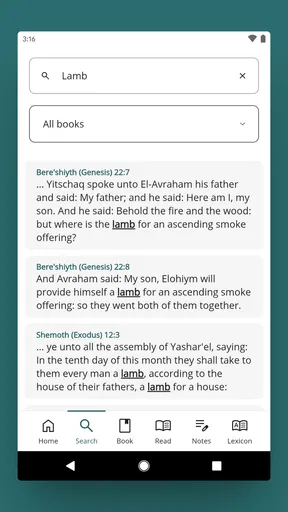
Search deserves special attention. I do not use it only to find an isolated word. I use it as a way to map a theme across the text, then read several surrounding results before drawing a conclusion. A search result is a doorway, not an interpretation. This is one of the more important habits for avoiding shallow study, particularly when a distinctive name or phrase produces a manageable set of passages.
Another useful adjustment is mental rather than technical: I separate reading mode from investigation mode. In reading mode, I try not to interrupt every paragraph with a search. In investigation mode, I deliberately follow references and compare contexts. Mixing the two constantly can make the app feel fragmented. Keeping them as separate sessions helps preserve both concentration and accuracy.
Faster patterns for repeat users
Once the basic workflow becomes familiar, I use repeatable patterns instead of wandering through the text. One pattern is the three-pass read. First, I read the passage straight through. Second, I return to the sections that raised questions. Third, I search for a key term or name and compare the surrounding contexts. This avoids the common mistake of searching first and reading only the highlighted result.
A second pattern is to begin with a known location whenever possible. If I already know the book and chapter, navigating directly is usually more purposeful than opening the app without a plan. When I am unsure where a subject appears, I search broadly, identify a useful starting passage, and then continue reading beyond the exact match. The extra context often changes what seemed obvious in the first line.
For group study, I would prepare references before the meeting rather than trying to discover everything in real time. The app can serve as the shared source text, while a separate note holds questions and discussion points. This division keeps the meeting moving and reduces the temptation to pass a phone around while everyone waits for one person to find the next passage.
For personal memorization, I prefer short, repeated visits over one long session. I read a selected passage, close the app, recall its main movement, and then return to check what I missed. The value here is not a special memorization system inside the app; it is the way a dedicated text makes a simple routine easy to repeat. The reader supplies the discipline, while the app supplies convenient access.
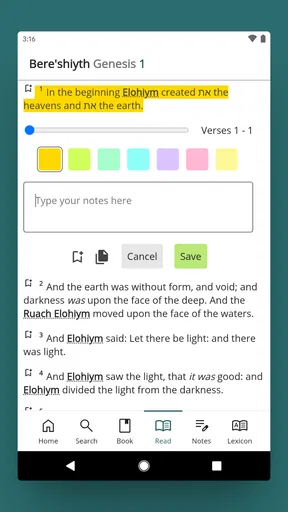
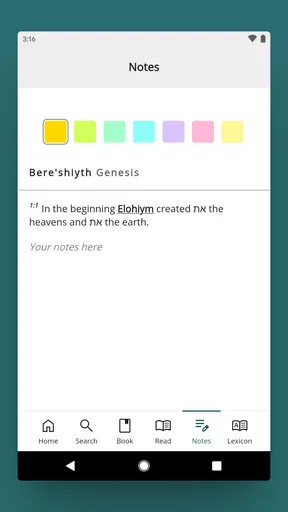
Experienced users should also create a consistent naming system for their outside notes. I use the book, chapter, and a brief topic label so that a note about a passage remains useful weeks later. This is a small trade-off: the app gives me the text, but I need a separate method for building a personal research trail. Readers who expect the application itself to become a full academic notebook may find that boundary limiting.
Where this edition fits beside familiar alternatives
The usual free Bible apps are often better for people who want several translations, audio options, devotional material, reading plans, social sharing, or extensive cross-references in one package. They can be more welcoming for beginners because they explain the available resources and encourage quick exploration. If that broad ecosystem is your priority, The Cepher is a narrower choice.
Its advantage is concentration. A reader who specifically wants this restoration does not have to treat it as one item among a crowded list of unrelated versions. The dedicated focus can make repeated reading feel more coherent, especially when the user is studying the edition’s treatment of names, terminology, and passages across the whole work. That benefit is difficult to measure, but it is meaningful for readers who have already decided that this is the text they want to know well.
Printed scripture still has advantages. Paper is easier to annotate physically, does not compete with notifications, and can be more comfortable during very long sessions. A general reference website may be quicker for checking a term across many sources. I see the app as strongest when portability and immediate access matter, such as travel, a short break, or a study session where carrying a substantial volume would be inconvenient.
The choice therefore depends less on whether the app is universally better and more on whether its focused edition matches your purpose. I would choose it over a broad alternative when the Cepher itself is central to my study. I would choose another app when I need translation comparison, built-in commentary, or a wider collection of learning tools.
Limits that become clearer with deeper use
The price is the first practical hurdle. At $21.99, the app needs to be more than a curiosity. A committed reader may consider that reasonable for convenient access to a specialized text, but a newcomer who is still deciding what edition to read should probably investigate the Cepher’s approach before paying. The app is easier to recommend after the reader has a clear reason for wanting this particular work.
The narrow focus can also feel restrictive. I would not rely on it alone for comparative study, formal research, or a discussion that requires several translations side by side. The app can be the anchor text, but another resource may still be necessary for checking wording, historical notes, linguistic questions, or competing interpretations. That is not a flaw in the central idea, but it is an important boundary.
Long reading sessions expose another general mobile-app trade-off: a phone is convenient but physically smaller and more interruptible than a book. I get better results when I silence notifications, increase the text to a comfortable size, and use a stable stand rather than holding the device throughout the session. These choices are especially helpful when the goal is contemplation rather than quick lookup.
Search can encourage overconfidence if used carelessly. Finding the same word in multiple places does not automatically prove that every occurrence carries the same meaning. I read the complete paragraph and, when the question is important, the broader section. This is a concrete reason to resist treating the application like a keyword concordance alone.
Who will appreciate it most
I think the best audience is a reader who already knows why the Cepher matters to them and wants a portable copy for regular reading. It also suits people who prefer a focused environment over an app filled with unrelated features. Students, independent readers, and small study groups can all benefit if they are willing to pair the text with their own note-taking and comparison habits.
It is less suitable for someone who wants an all-in-one spiritual companion, a beginner’s guided course, or a large collection of translations at no additional cost. It may also frustrate readers who rarely use a single edition for long enough to learn its vocabulary and structure. In that situation, the purchase risks becoming an expensive app that is opened only occasionally.
The app’s strong user response is encouraging: it holds a 4.8 average from around 877 ratings, with over 400 written reviews. I treat that as a sign that the focused concept works well for many existing users, not as proof that every reader will share the same priorities. A specialized scripture app can be highly satisfying for its intended audience while remaining a poor fit for someone who wants breadth.
Version, longevity, and the buying decision
The application was released on March 7, 2016, and its current version is 22.0.50. It supports Android 7.0 and later, which makes it accessible on many older devices as well as newer phones. Before purchasing, I would still check that the device I plan to use meets that requirement and has enough comfortable screen space for the kind of reading I expect to do.
Its install base is over 10 thousand, which reinforces the impression that this is a focused product rather than a mass-market reading platform. That is not automatically negative. Smaller, specialized apps can be exactly what a dedicated audience needs. It simply means I would evaluate it by the quality and usefulness of its chosen text, not by expecting the scale or feature breadth of the biggest free Bible applications.
My buying advice is straightforward. If I wanted the Cepher specifically, planned to read it regularly, and valued having it available on a mobile device, I would consider the price defensible. If I were merely browsing different scripture editions, I would first establish what I want from a translation and how often I expect to use it. That short period of reflection can prevent paying for a specialized app before its purpose is clear.
My final view after making it part of a routine
I came away seeing The Cepher as a focused digital edition rather than a feature-packed study suite. That focus is its identity and its main trade-off. It gives the right reader a convenient way to return to one restoration of sacred scripture, while asking that reader to bring their own study method, patience, and supporting resources.
My recommendation is positive but specific: choose it when the Cepher text is already central to your reading, and use it with a deliberate routine of continuous reading, contextual searching, and external notes. Do not choose it expecting a broad library or a complete research workstation. For committed readers, its value comes from repeated access to a text they have intentionally chosen.
After building a habit around it, I found the app most useful in quiet, repeatable moments: a planned evening reading, a quick passage check during the day, or preparation for a discussion. That is where its specialization feels like a strength instead of a limitation. For those use cases, I can recommend it to a friend with confidence; for readers still comparing editions or looking for a free all-purpose Bible app, I would point them elsewhere first.
Pros
- Includes the complete restored names of God and Messiah.
- Offers search tools for locating passages and keywords quickly.
- Useful study companion for readers exploring Hebrew roots.
- Readable on mobile devices with convenient digital access.
- Provides an alternative translation for comparative Bible study.
Cons
- Its restored names and wording may feel unfamiliar to many readers.
- Some editions or features may require an in-app purchase.
- Interpretive choices can differ significantly from mainstream translations.
- The extensive content may be overwhelming for first-time readers.
- Availability and formatting may vary between Android and iOS versions.
FAQs for The Cepher
What is The Cepher app?
The Cepher is a digital Bible application focused on presenting the Scriptures together with restored Hebrew names, terminology, and additional writings associated with the Cepher edition. After opening the app, users can browse or search its collection, read passages, and explore references from a mobile device. It is intended for personal study, devotional reading, and users interested in a Hebrew-oriented presentation of biblical texts.
Is The Cepher free to download and use?
Availability and pricing can depend on the Android or iOS version, region, and the developer’s current publishing model. Some editions may allow free installation or limited access, while additional books, features, or an ad-free experience could require payment or an in-app purchase. Before downloading, check the store listing carefully for subscription details, included content, advertisements, and whether offline reading is available without an additional charge.
What books and texts are included in The Cepher?
The Cepher is designed to contain a broad collection of biblical books and related writings, including texts that are not present in many standard Protestant Bible editions. Its presentation may include restored names, Hebrew expressions, and supplementary material connected with the Cepher publication. Because the exact library can vary between app versions, users should review the current contents list in the store description before assuming that every desired book or translation is included.
Does The Cepher require an internet connection?
An internet connection may be needed initially to download the application, load content, synchronize data, or access certain online features. Depending on the version, some passages may remain available for offline reading after the required files have been downloaded, while other functions may continue to need connectivity. If you plan to study while traveling, test the app in airplane mode first and confirm that your preferred books and search tools still work.
Is The Cepher suitable for serious Bible study?
The Cepher can be useful for personal reading, devotional study, and comparing biblical terminology with a Hebrew-oriented edition, particularly for readers interested in restored names and expanded collections of writings. However, it should not automatically replace scholarly resources, language tools, or guidance from a trusted teacher. Users should also remember that translation and editorial choices differ from other Bible editions, so comparing passages and consulting multiple references is recommended.


